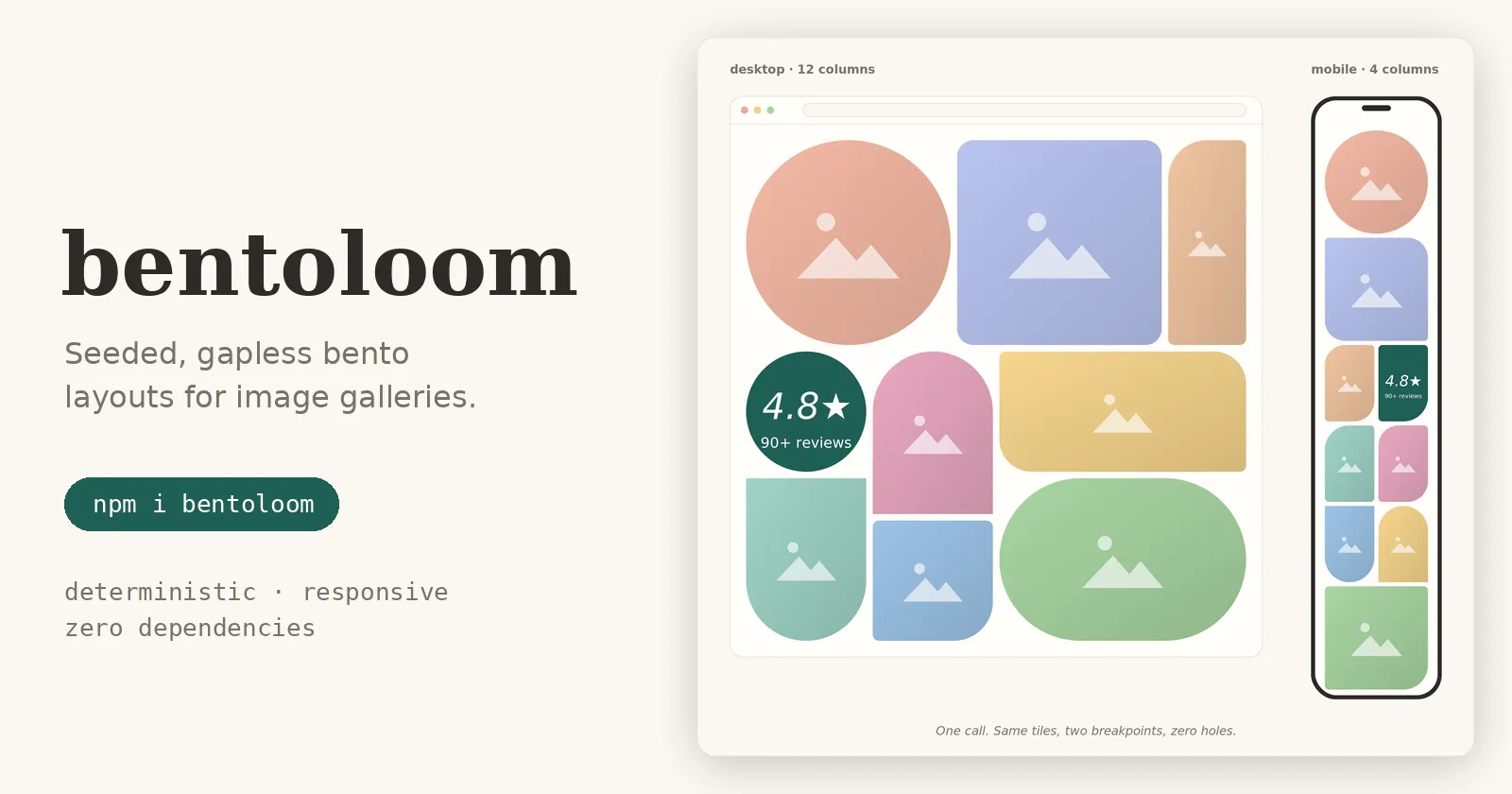
It Started With a Client Gallery
I was building the front of a business website for a client, a veterinary practice, and they needed a gallery. A plain uniform grid looked generic, so I went with a bento layout and started placing the tiles by hand: this photo big, that one tall, this one wide, a few rounded shapes for personality.
It looked great. Then a question hit me:
what happens when they add more images?
Would the new photos fall back to the boring grid? Would the layout I had carefully composed keep its character and simply extend in a predictable, recurring pattern? Hand-placed bento grids don’t survive that question. They work for a dozen photos and then they become a maintenance chore, or worse, the client quietly appends images and the gallery degrades into something nobody designed.
That was the moment the idea came: the layout should be generated, not placed. The result is bentoloom, now published on npm, with a live demo.
npm i bentoloomThis article walks through the design: the guarantees I wanted, the pipeline that delivers them, the two parts that were hardest to get right, and what comes next.
What I Wanted From It
Before writing any code I wrote down the properties the generator had to have. Everything else in the library follows from these.
- Gapless. Every cell of the grid is covered exactly once. No holes, no overlaps.
- Deterministic. The same input, the same salt and the same version always produce the same layout.
- Responsive. Every tile gets a mobile placement and a desktop placement, solved independently.
- Personality. Irregular shapes and decorative filler tiles, so galleries don’t look machine-generated.
- Tiny and boring. Zero dependencies, framework-agnostic, fully typed.
Why Deterministic and Not Just Random
The obvious way to get variety is Math.random(). It is also the fastest way to get burned.
I hit this early: a server-rendered page produced one layout and the client produced another during hydration. Random layouts and SSR do not mix, the markup the server sent no longer matches what the client computes, and the page either warns, flickers, or re-renders.
There is a second, more human reason. Imagine a visitor sees a photo in your gallery, leaves, and comes back later looking for it. If the layout reshuffles on every visit, that image is now somewhere else entirely, maybe far down the page. A gallery should feel like a place, not a slot machine.
So bentoloom uses a seeded random number generator. The seed for each chunk of the gallery is derived from:
Where keys are the identities of the items in that chunk (id, key, src, file, url, or whatever getKey returns). Same inputs, same seed, same layout, on the server, on the client, and across builds. Changing the salt rerolls everything, which is the intended way to get a different look.
This also answers my original client question. Items are split into chunks of 12, and each chunk is its own independent grid with its own seed. Appending images does not disturb the full chunks that came before: they keep their keys, so they keep their seed, so they keep their layout. Only the last, partially filled chunk changes as it grows. (One detail: a tiny tail smaller than minTail, which defaults to 4, merges into the previous chunk instead of standing alone, so in that case the previous chunk is the one that changes.)
The Pipeline
Here is what happens when you call generateLayout().
- Items. Anything goes. bentoloom never reads your objects beyond the seed key, and
tile.itemis the same reference you passed in. - Chunks. Items are split into groups of 12, each with its own seed.
- Weights. Each slot gets a relative size from the seeded RNG. 15% of items become heroes (large tiles), the rest are normal, and one filler tile is inserted at a random inner position.
- Partition. A slicing treemap cuts the grid recursively, once per breakpoint.
- Best of 20. Twenty randomized partitions are generated and the one with the best quality score wins.
- Shapes. Each tile’s aspect (square, tall or wide) selects a pool of shapes, and one is picked while avoiding repeats.
If every one of the twenty attempts fails, bentoloom falls back to a plain hole-free row layout, so the output is always valid.
The Partition Step
This is the heart of the library, and it is where the “gapless” guarantee comes from.
For a set of items [lo, hi) inside a rectangle, the algorithm tries every split point in both orientations. The cut lands at the weight-proportional position, rounded to an integer coordinate. Candidates are rejected if a side is smaller than minSide or an area is smaller than minArea. The survivors are scored on:
- aspect ratio, so tiles stay close to square rather than becoming slivers,
- rounding drift, how far the integer cut landed from the ideal proportional position,
- a little seeded jitter, so layouts don’t all look alike.
The top four candidates are tried with backtracking: if a branch dead-ends further down the recursion, the algorithm returns and tries the next candidate.
The reason this can never leave a hole is structural. Every cut is a guillotine cut on integer coordinates: it splits a rectangle fully, edge to edge, into two rectangles whose union is the original. Recursing on rectangles that exactly tile their parent means the leaves exactly tile the root. Gaps and overlaps are not something the algorithm avoids by luck; they are impossible by construction, and a property test enforces it. It is also why the resulting grid-area values always fit exactly.
Choosing the Best of Twenty
A single randomized partition can be valid and still ugly. So for each chunk and each breakpoint, bentoloom generates twenty candidates and keeps the one with the best quality score, which rewards squarer tiles and tile areas that stay close to their assigned weights.
The attempts option controls this. More attempts mean better layouts at a higher build cost. Because chunks are independent, the cost grows linearly: the project’s benchmark puts a thousand images at a few tens of milliseconds on a laptop-class machine, cheap enough for build time or a server component.
Shapes and Fillers
Uniform rectangles are the other reason galleries look generic. bentoloom ships ten irregular border-radius shapes (arches, petals, pills, circles and more), plus opt-in clip-path presets: hexagon, diamond, octagon, arrow and bevel. You can register your own too:
import { createLayoutGenerator, SHAPE_PRESETS } from "bentoloom";
export const gallery = createLayoutGenerator({  shapes: {    add: {      hexagon: SHAPE_PRESETS.hexagon,      zigzag: {        clipPath: "polygon(0 0, 100% 0, 100% 85%, 75% 100%, 50% 85%, 25% 100%, 0 85%)",        aspects: ["square", "wide"],      },    },  },});
Each tile’s aspect selects the pool, so a diamond only lands on a square and an arrow only on a wide tile, if you configure it that way.
Then there are filler tiles: ratings, pulse lines, stats, paws. The paws are a leftover from the veterinary client where all of this started, but the idea is broader. In a decorated gallery, not every cell has to be a photo. Fillers add variance and rhythm, and they give the layout room to breathe between images. They are configurable (fillers: [] disables them entirely) and extensible.
Zero Dependencies, on Purpose
bentoloom has no runtime dependencies and weighs about 3.3 kB min+gzip. This was a principle rather than a constraint: if something can be done in a few lines, I don’t want to install a package for it. The is-odd school of dependency management is not for me.
It also pays off in practice. The engine returns plain data and CSS values, nothing framework-specific, so it works with React, Vue, Svelte or plain HTML. You render it however you like:
import { generateLayout, tileCssVars, chunkCssVars } from "bentoloom";
const layout = generateLayout(images, { config: { salt: "my-site" } });// layout.chunks[].tiles[] is what you render
tileCssVars and chunkCssVars give you CSS variables for grid-area, border-radius and clip-path at each breakpoint, and the rest is ordinary CSS grid.
What Was Hard
Two things took most of the time.
The partitioning. Getting recursive guillotine cuts to always produce a valid layout under real constraints (minimum side, minimum area, integer coordinates, weights that must be respected) is fiddly. Naive splitting paints itself into corners, where a branch has no legal cut left. Backtracking over the top few candidates plus the row-layout fallback is what turned “usually works” into “always works”.
The tuning. Valid is not the same as good. The quality score is a set of trade-offs between squareness, fidelity to weights, and variety, and the defaults (15% hero chance, weight ranges for heroes and normal tiles, 20 attempts) came from looking at a lot of generated layouts and adjusting. I will be honest: these are tuned defaults, not mathematically derived optima. Every one of them is overridable.
What bentoloom Does and Does Not Claim
bentoloom is a layout generator, not a layout optimizer. It does not claim the best possible arrangement for a given set of images. What it does provide is:
- Gapless by construction: every cell covered exactly once, enforced by a property test.
- Determinism as a contract: a golden-snapshot test locks the output, so a change to layout output is a breaking change and gets a major version bump.
- Configurability: every default can be overridden, and invalid config throws a
LayoutConfigErrorlisting every problem at once. - Explainability: every tile’s size and position traces back to a seed, a weight and a cut.
The Road Ahead
Some directions I am considering, roughly in increasing order of effort. These are ideas rather than commitments.
- More clip-path presets beyond the current five, plus better guidance on which aspects suit which shapes.
- A masonry-style mode for galleries where a strictly gapless bento grid is not the right fit.
- A React component package that wraps the rendering boilerplate, so the common case is a single component rather than the Tailwind and CSS variable wiring.
- Calibration of the quality score against more real galleries, with the weights exposed and documented.
Try It
npm i bentoloom- Source and README: github.com/Traam0/bentoloom
- Package: npmjs.com/package/bentoloom
- Demo: bentoloom.isla.dpdns.org
It began with one client and a gallery I didn’t want to arrange by hand twice. If you try it and something looks off, or you build a shape worth adding to the presets, open an issue or a PR.
bentoloom is MIT licensed. All weights, thresholds and parameter values mentioned here are current defaults, not empirically optimized constants.